
Plot time with matplotlib
Matplotlib supports plots with time on the horizontal (x) axis. The data values will be put on the vertical (y) axis. In this article we'll demonstrate that using a few examples.
It is required to use the Python datetime module, a standard module.
Plot time You can plot time using a timestamp:
import matplotlib
import matplotlib.pyplot as plt
import numpy as np
import datetime
# create data
y = [ 2,4,6,8,10,12,14,16,18,20 ]
x = [datetime.datetime.now() + datetime.timedelta(hours=i) for i in range(len(y))]
# plot
plt.plot(x,y)
plt.gcf().autofmt_xdate()
plt.show()
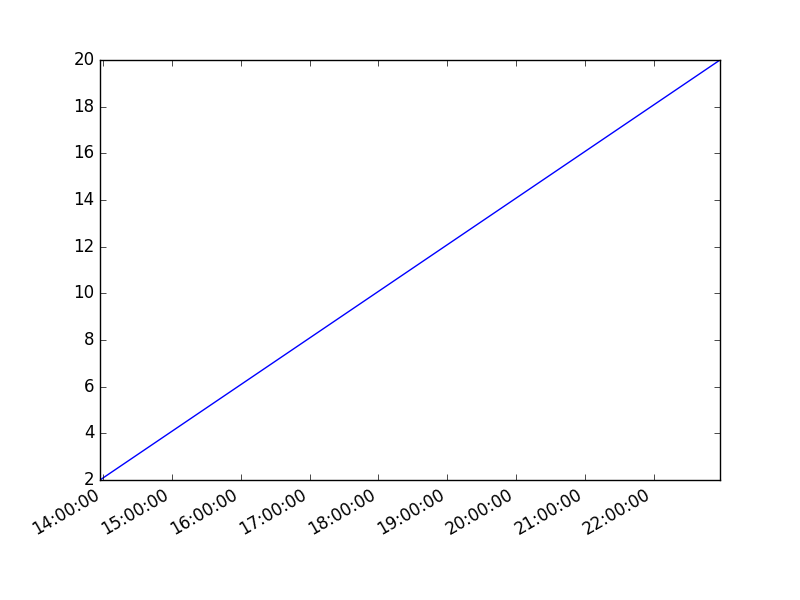
If you want to change the interval use one of the lines below:
# minutes
x = [datetime.datetime.now() + datetime.timedelta(minutes=i) for i in range(len(y))]
Time plot from specific hour/minute
To start from a specific date, create a new timestamp using datetime.datetime(year, month, day, hour, minute). Full example:
import matplotlib
import matplotlib.pyplot as plt
import numpy as np
import datetime
# create data
customdate = datetime.datetime(2016, 1, 1, 13, 30)
y = [ 2,4,6,8,10,12,14,16,18,20 ]
x = [customdate + datetime.timedelta(hours=i) for i in range(len(y))]
# plot
plt.plot(x,y)
plt.gcf().autofmt_xdate()
plt.show()