[toc]In this tutorial you will learn how to receive email using the poplib module. The mail server needs to support pop3, but most mail servers do this. The Post Office Protocol (POP3) is for receiving mail only, for sending you will need the SMTP protocol.
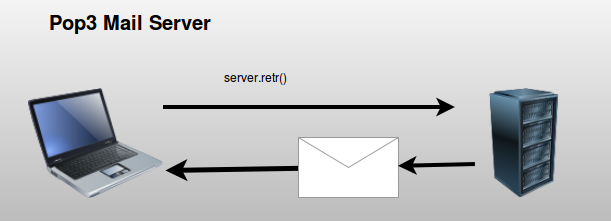 Simplified Mail Server
Related course:
Practice Python with interactive exercises
Meta Data
Every email will contain many variables, but these are the most important ones:
| Feature |
Description |
| message-id |
unique identifier |
| from |
where did the email come from? |
| to |
where was the email sent to? |
| date |
date |
| subject |
Email subject. |
Reading Email Example
You can request messages directly from a mail server using the Post Office Protocol (protocol). You do not have to worry about the internal protocol because you can use the poplib module.
Connect and authenticate with the server using:
# connect to server
server = poplib.POP3(SERVER)
# login
server.user(USER)
server.pass_(PASSWORD)
The program below gets 10 emails from the server including mail header
import poplib
import string, random
import StringIO, rfc822
def readMail():
    SERVER = "YOUR MAIL SERVER"
    USER = "YOUR USERNAME [email protected]"
    PASSWORD = "YOUR PASSWORD"

    # connect to server
    server = poplib.POP3(SERVER)

    # login
    server.user(USER)
    server.pass_(PASSWORD)

    # list items on server
    resp, items, octets = server.list()

    for i in range(0,10):
        id, size = string.split(items[i])
        resp, text, octets = server.retr(id)

        text = string.join(text, "\n")
        file = StringIO.StringIO(text)

        message = rfc822.Message(file)

        for k, v in message.items():
            print k, "=", v
readMail()
