
Django Getting started
Python hosting: PythonAnywhere — host, run and code Python in the cloud. Free tier available.
Django is a high-level Python Web framework that takes care of much of the hassle of Web development, so you can focus on writing your app without needing to reinvent the wheel.
In this tutorial you will learn how to setup a basic Django web app.
Related course
Django tutorial
Install Django using:pip install Django==1.7.1Once installed, create the directory /django-hello/ for your app. In this directory create the file hello.py with this contents:
#!/usr/bin/env python
import sys
from django.conf import settings
from django.conf.urls import patterns
from django.http import HttpResponse
from django.core.management import execute_from_command_line
settings.configure(
DEBUG=True,
SECRET_KEY='asecretkey',
ROOT_URLCONF=sys.modules[__name__],
)
def index(request):
return HttpResponse('Hello, World')
urlpatterns = patterns('',
(r'^hello/$', index),
)
if __name__ == "__main__":
execute_from_command_line(sys.argv)
Execute the script using:
python hello.py runserverA HTTP Django server will start and if you open http://127.0.0.1:8000/hello/
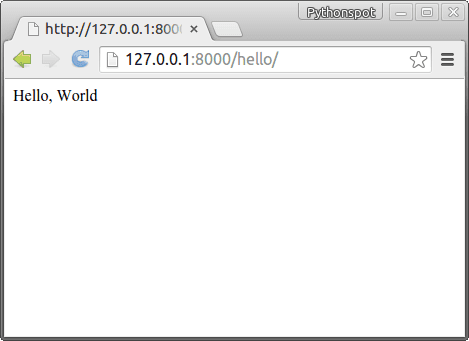 Django Web Framework
Django code explanation: The top lines import the Django library:
from django.conf import settings
from django.conf.urls import patterns
from django.http import HttpResponse
from django.core.management import execute_from_command_line
If you open the link /hello/, the webserver will call the index() function. We map the url to the function using:
urlpatterns = patterns('',
(r'^hello/$', index),
)
In Django we have url friendly urls. This means you do not have a url that ends in /id=1359835, but instead we have the directory as name. Finally, we set some default settings using settings.configure.