
Jinja2 Template engine
Python hosting: PythonAnywhere: host, run and code Python in the cloud. Free tier available.
Jinja2 is a template engine for Python. You can use it when rendering data to web pages. For every link you visit, you want to show the data with the formatting. By using a template engine we can seperate display logic (html, css) from the actual Python code. Let's start with an example
Getting started with Jinja2 Create the directories:
- /app
- /app/templates
<title>{% block title %}{% endblock %}</title>
<ul>
{% for user in users %}
<li>{ { user }}</li>
{% endfor %}</ul>Then create the code app.py in /app/app.py:
from flask import Flask, flash, redirect, render_template, request
from random import randint
app = Flask(__name__)
@app.route("/")
def index():
return "Flask App!"
@app.route("/user/")
def hello():
users = [ "Frank", "Steve", "Alice", "Bruce" ]
return render_template(
'user.html', **locals())
if __name__ == "__main__":
app.run(host='0.0.0.0', port=8080)
Finally execute with:
python app.py
* Running on http://0.0.0.0:8080/
You can then open http://127.0.0.1:8080/user/ in your browser. This will output the data formatted according to html:
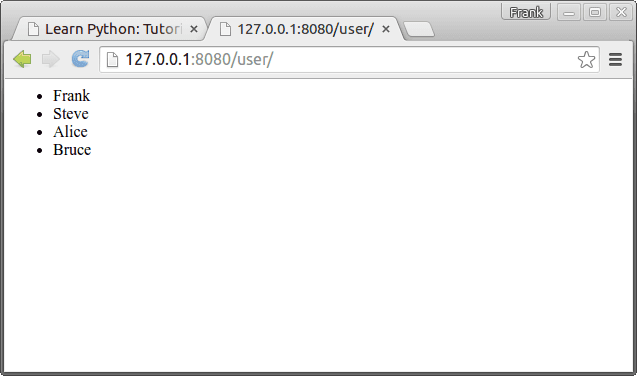 Jinja2 Template Engine Output
About Jinja A Jinja2 template is simply a text file that does not need to have a specific extension such as .html, .xml. A template may contain tags and special delimiters:
| Delimiters | Usage |
|---|---|
| {% raw %}{% … %}{% endraw %} | Statements |
| {% raw %}{ { … }}{% endraw %} | Expressions to print to the template output |
| {% raw %}{# … #}{% endraw %} | Comments not included in the template output |
| {% raw %}# … ##{% endraw %} | Line Statements |
Base template and child templates A Jinja2 template can extend a base template. On a webpage with many sites you may want these pages look similar. In /templates/ create a file called base.html with this code:
{% block head %}
<link rel="stylesheet" href="style.css">
<title>{% block title %}{% endblock %} - My Webpage</title>
{% endblock %}
<div id="content">{% block content %}{% endblock %}</div>
<div id="footer">
{% block footer %}
Copyright 2015 by <a href="https://pythonspot.com/">pythonspot</a>.
{% endblock %}</div>We did not set a style.css, but you could set one. Change /templates/user.html to:
{% extends "base.html" %}
{% block title %}Index{% endblock %}
{% block head %}
{ { super() }}
<style type="text/css">
.important { color: #336699; }<br />
</style>
{% endblock %}
{% block content %}
<h1>Users</h1>
<p class="important"></p>
<ul>
{% for user in users %}
<li>{ { user }}</li>
{% endfor %}</ul>
{% endblock %}
Restart the app with:
python app.py
* Running on http://0.0.0.0:8080/
Output:
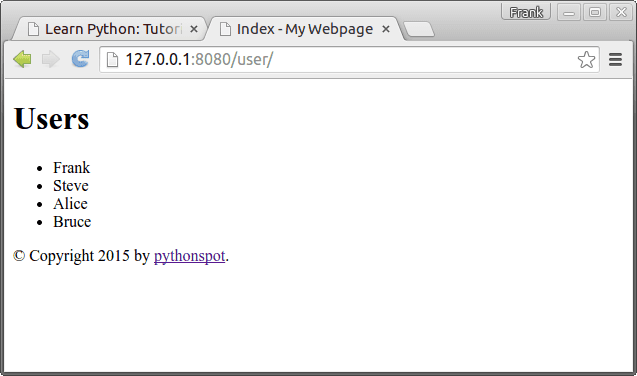 Flask Jinja template engine