
Matplotlib Pie chart
Matplotlib supports pie charts using the pie() function. You might like the Matplotlib gallery.
Related course:
Practice Python with interactive exercises
Matplotlib pie chart The code below creates a pie chart:
import matplotlib.pyplot as plt
# Data to plot
labels = 'Python', 'C++', 'Ruby', 'Java'
sizes = [215, 130, 245, 210]
colors = ['gold', 'yellowgreen', 'lightcoral', 'lightskyblue']
explode = (0.1, 0, 0, 0)  # explode 1st slice
# Plot
plt.pie(sizes, explode=explode, labels=labels, colors=colors,
autopct='%1.1f%%', shadow=True, startangle=140)
plt.axis('equal')
plt.show()
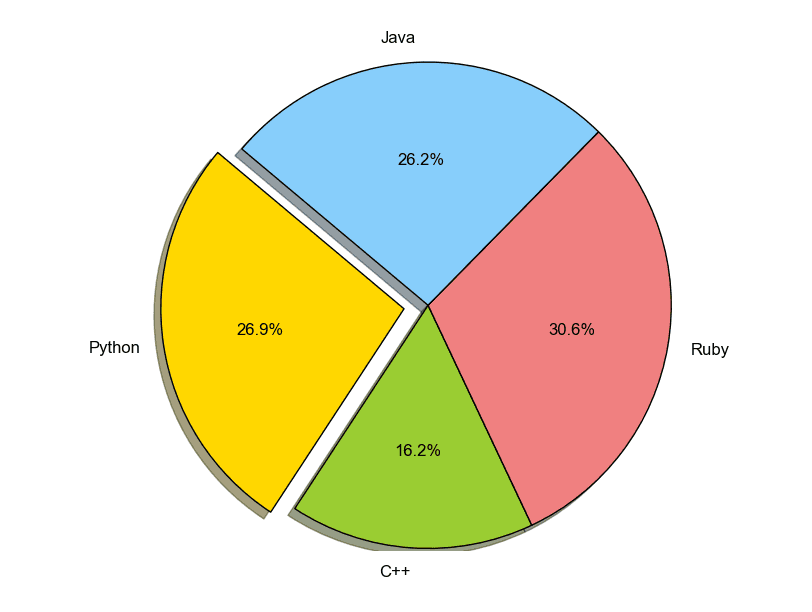 pie chart python
To add a legend use the plt.legend() function:
import matplotlib.pyplot as plt
labels = ['Cookies', 'Jellybean', 'Milkshake', 'Cheesecake']
sizes = [38.4, 40.6, 20.7, 10.3]
colors = ['yellowgreen', 'gold', 'lightskyblue', 'lightcoral']
patches, texts = plt.pie(sizes, colors=colors, shadow=True, startangle=90)
plt.legend(patches, labels, loc="best")
plt.axis('equal')
plt.tight_layout()
plt.show()
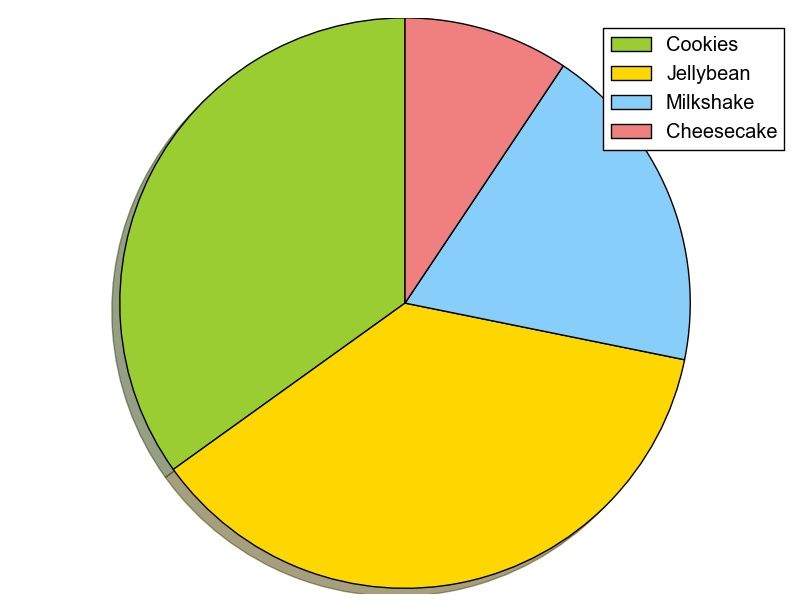 python pie chart
Download All Matplotlib Examples