
Python Debugging
Testing & Performance guides: Python Unit Testing | Python Profiling & Optimization
We can use debugging tools to minimize and find bugs. In this article you will learn the best Python debugging tricks.
PuDB - A console-based Python debugger
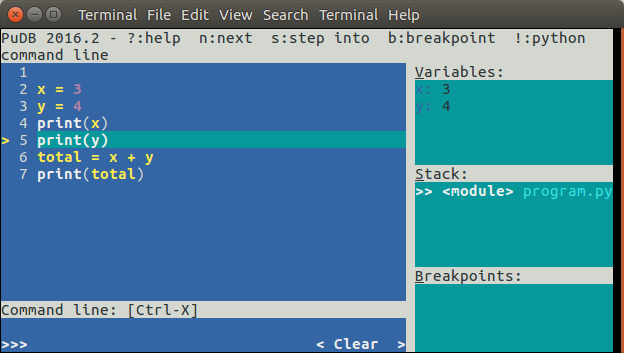 Python Debug with PuDB
A graphical interface is shown using the PuDB terminal.
Installation to install with Python 3:
sudo pip3 install pudbfor Python 2.x use:
sudo pip install pudbDebugging Start debugging with:
$ pudb3 program.py(or sudo if you don't have the right permissions)
You can take step by step through the program. Use the n key to take a step through the program. The current variable contents are shown on the right top.
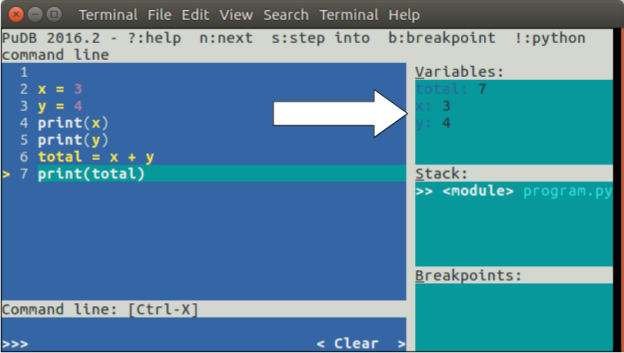 debug with python
You can set breakpoints using the b key. To continue execution until the next breakpoints, press the c key.
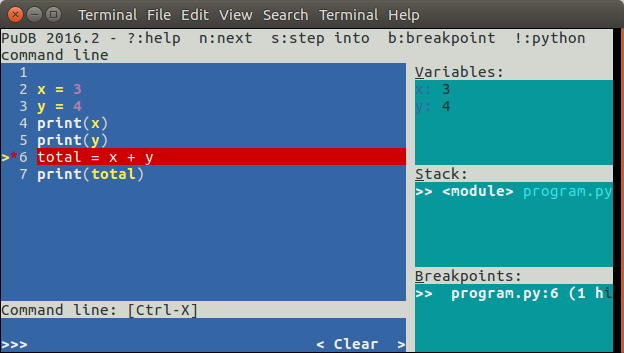 Breakpoint in Python program
PDB - The Python Debugger
The module pdb supports setting breakpoints. A breakpoint is an intentional pause of the program. where you can get more information about the programs state.To set a breakpoint, insert the line
pdb.set_trace()Example A practical example:
import pdb
x = 3
y = 4
pdb.set_trace()
total = x + y
pdb.set_trace()
We have inserted a few breakpoints in this program. The program will pause at each breakpoint (pdb.set_trace()). To view a variables contents simply type the variable name:
$ python3 program.py
(Pdb) x
3
(Pdb) y
4
(Pdb) total
*** NameError: name 'total' is not defined
(Pdb)
Press c or continue to go on with the programs execution until the next breakpoint
(Pdb) c
--Return--
> program.py(7)<module>()->None
-> total = x + y
(Pdb) total
7