
PyQt5 browser
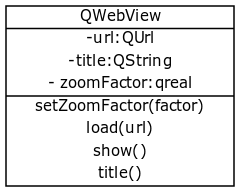 QWebView class simplified
PyQt5 supports a widget that displays websites named QWebView.
QWebView uses the Webkit rendering engine The web browser engine is used by Safari, App Store and many OS X applications.
The load() method opens the url (QUrl) in the argument. You can create a QUrl using: QUrl(url).
The show() method is required to display the widget.
Installation
To use this widget you may need to install an additional package:sudo apt-get install python3-pyqt5.qtwebkitRead more about PyQt5.
PyQt5 webkit example
The example below loads a webpage in a PyQt5 window.#!/usr/bin/env python
import sys
from PyQt5 import QtCore, QtGui, QtWidgets
from PyQt5.QtCore import *
from PyQt5.QtGui import *
from PyQt5.QtWidgets import *
from PyQt5.QtWebKit import *
from PyQt5.QtWebKitWidgets import *
from PyQt5.QtWidgets import QApplication, QWidget, QMainWindow
app = QApplication(sys.argv)
web = QWebView()
web.load(QUrl("https://pythonspot.com"))
web.show()
sys.exit(app.exec_())
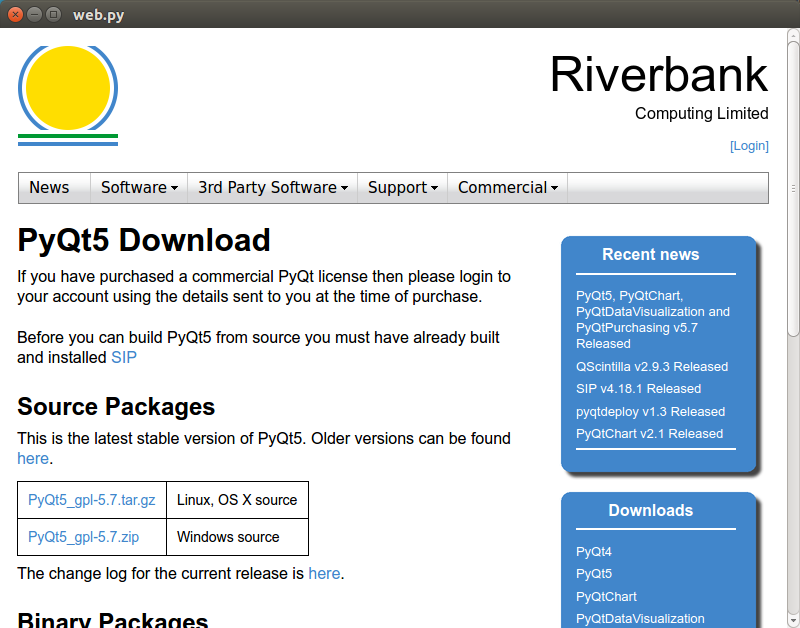 Webkit in PyQt5