
PyQt5 Wizard
A wizard is a screen you often see during installations, you have back and next buttons, and are guided through a process.
In PyQt5 these are called pages, every page can have some content. The buttons will guide you through these pages.
Related course:
Practice Python with interactive exercises
Wizard Example The code below creates a wizard in PyQt:
#!/usr/bin/env python
from PyQt5 import QtCore
from PyQt5 import QtGui
from PyQt5.QtCore import pyqtProperty
from PyQt5 import QtCore, QtWidgets
class QIComboBox(QtWidgets.QComboBox):
    def __init__(self,parent=None):
        super(QIComboBox, self).__init__(parent)
class MagicWizard(QtWidgets.QWizard):
    def __init__(self, parent=None):
        super(MagicWizard, self).__init__(parent)
        self.addPage(Page1(self))
        self.addPage(Page2(self))
        self.setWindowTitle("PyQt5 Wizard Example - pythonspot.com")
        self.resize(640,480)
class Page1(QtWidgets.QWizardPage):
    def __init__(self, parent=None):
        super(Page1, self).__init__(parent)
        self.comboBox = QIComboBox(self)
        self.comboBox.addItem("Python","/path/to/filename1")
        self.comboBox.addItem("PyQt5","/path/to/filename2")
        layout = QtWidgets.QVBoxLayout()
        layout.addWidget(self.comboBox)
        self.setLayout(layout)
class Page2(QtWidgets.QWizardPage):
    def __init__(self, parent=None):
        super(Page2, self).__init__(parent)
        self.label1 = QtWidgets.QLabel()
        self.label2 = QtWidgets.QLabel()
        layout = QtWidgets.QVBoxLayout()
        layout.addWidget(self.label1)
        layout.addWidget(self.label2)
        self.setLayout(layout)
def initializePage(self):
        self.label1.setText("Example text")
        self.label2.setText("Example text")
if __name__ == '__main__':
    import sys
    app = QtWidgets.QApplication(sys.argv)
    wizard = MagicWizard()
    wizard.show()
    sys.exit(app.exec_())
Screenshot:
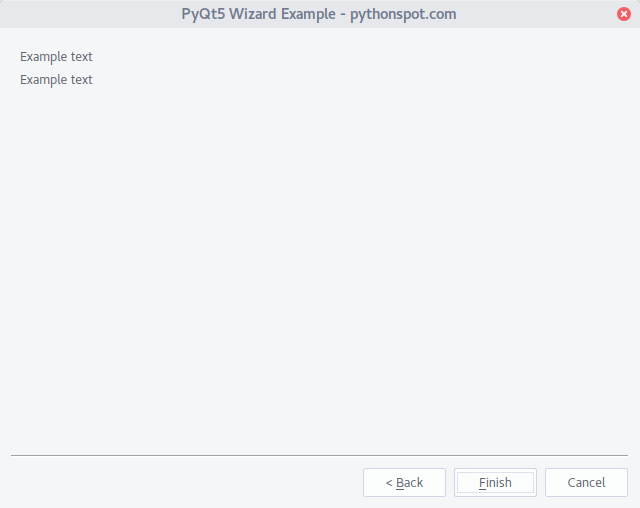
For every page you can add a new class, where inside the method initializePage you can set the widgets. Inside the class MagicWizard add or remove pages.