
Simple text game with Python
In this article we will demonstrate how to create a simple guessing game. The goal of the game is to guess the right number.
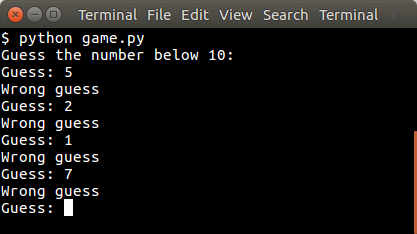
Example An example run below:
 Simple text game with Python
You may like
Random number
The user will be asked to guess the random number. We first pick the random number:from random import randint
x = randint(1,9)
The randint() function will pick a pseudo random number between 1 and 10. Then we have to continue until the correct number is found:
guess = -1
print("Guess the number below 10:")
while guess != x:
    guess = int(raw_input("Guess: "))
if guess != x:
        print("Wrong guess")
    else:
        print("Guessed correctly")
Python Guessing Game
The code below starts the game:from random import randint
x = randint(1,9)
guess = -1
print "Guess the number below 10:"
while guess != x:
guess = int(raw_input("Guess: "))
if guess != x:
print("Wrong guess")
else:
print("Guessed correctly")
An example run:
Guess the number below 10:
Guess: 3
Wrong guess
Guess: 6
Wrong guess
..