
PyQt5 signals and slots
Graphical applications (GUI) are event-driven, unlike console or terminal applications. A users action like clicks a button or selecting an item in a list is called an event.
If an event takes place, each PyQt5 widget can emit a signal. A signal does not execute any action, that is done by a slot.
Signals and slot introduction Consider this example:
button.clicked.connect(self.slot_method)The button click (signal) is connected to the action (slot). In this example, the method slot_method will be called if the signal emits.
This principle of connecting slots methods or function to a widget, applies to all widgets,
widget.signal.connect(slot_method)or we can explicitly define the signal:
QtCore.QObject.connect(widget, QtCore.SIGNAL(‘signalname’), slot_function)PyQt supports many type of signals, not just clicks.
Example We can create a method (slot) that is connected to a widget. A slot is any callable function or method.
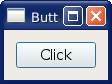
On running the application, we can click the button to execute the action (slot).
from PyQt5.QtWidgets import (QApplication, QComboBox, QDialog,
QDialogButtonBox, QFormLayout, QGridLayout, QGroupBox, QHBoxLayout,
QLabel, QLineEdit, QMenu, QMenuBar, QPushButton, QSpinBox, QTextEdit,
QVBoxLayout)
import sys
class Dialog(QDialog):
def slot_method(self):
        print('slot method called.')

    def __init__(self):
        super(Dialog, self).__init__()

        button=QPushButton("Click")
        button.clicked.connect(self.slot_method)

        mainLayout = QVBoxLayout()
        mainLayout.addWidget(button)

        self.setLayout(mainLayout)
        self.setWindowTitle("Button Example - pythonspot.com")
if __name__ == '__main__':
    app = QApplication(sys.argv)
    dialog = Dialog()
    sys.exit(dialog.exec_())